

Rack & Topology Designer
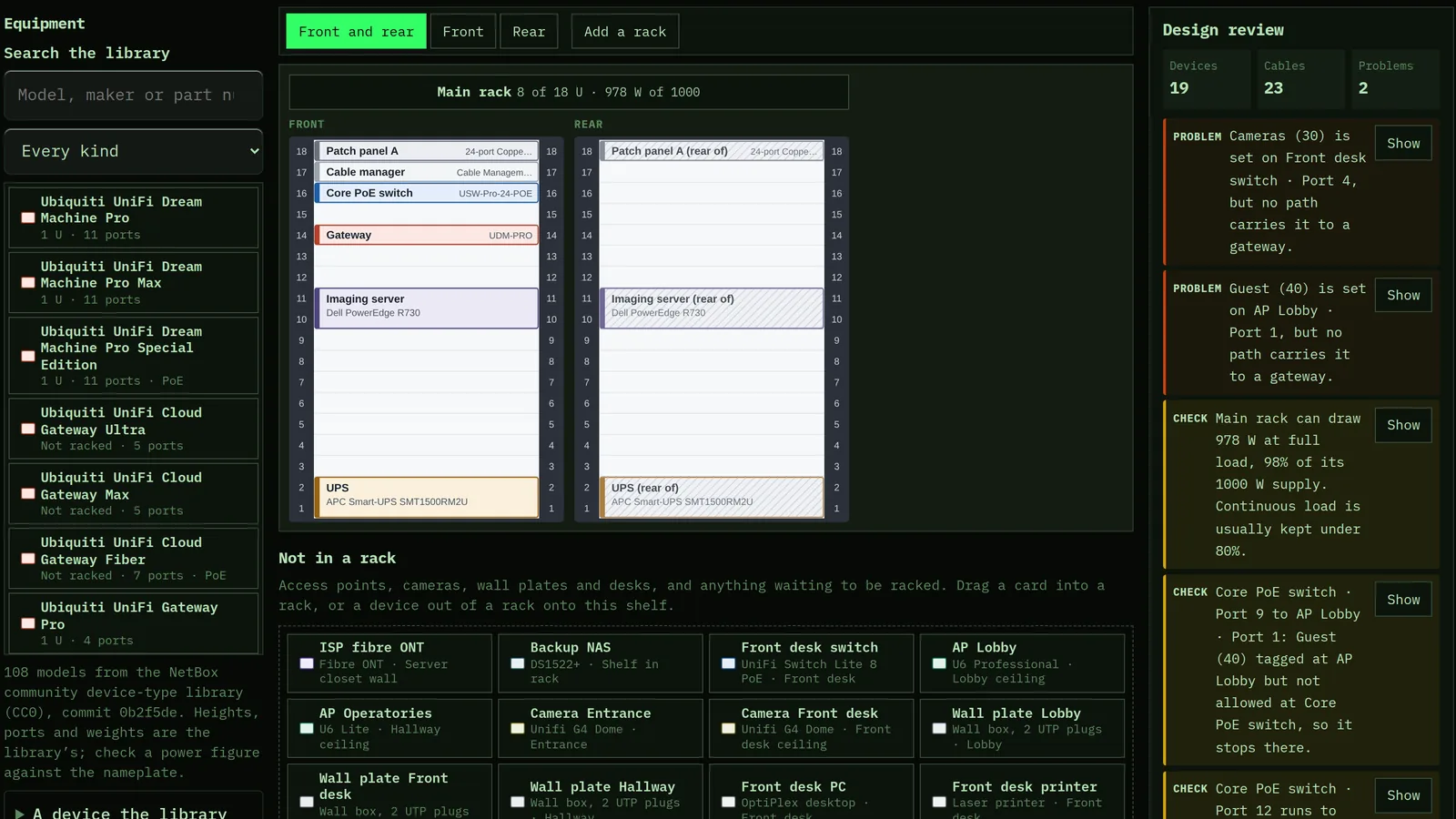
Drag real switches, routers, patch panels and servers into a rack, front and rear. Cable them port to port, set each port's VLANs, and trace any jack back to the switch through the patch panel. The network diagram is drawn from those cables, the design review catches the VLAN, PoE, power and cable-length mistakes, and the cable labels print with QR codes.
1 Racks
Drag equipment from the library into a rack, move it by pointer or keyboard, and keep access points, cameras and wall plates on the shelf beside it. The design review lists what to fix.
This browser will not keep saved work — storage is blocked, or this is a private window.
2 Ports and cables
Each device's faceplate from its real ports. Drag from a port to a port to cable them, set access and trunk VLANs, and trace a port end to end.
This browser will not keep saved work — storage is blocked, or this is a private window.
3 Topology
The network diagram, drawn from the cabling in tiers from the internet edge down. Highlight a VLAN to see how far it actually reaches.
This browser will not keep saved work — storage is blocked, or this is a private window.
4 VLANs
The VLAN list, brought in from your Subnet & VLAN Plan or added here.
This browser will not keep saved work — storage is blocked, or this is a private window.
5 Take it away
A printable rack book, cable and device labels with QR codes, NetBox import files, and the cable schedule and port map as CSV.
This browser will not keep saved work — storage is blocked, or this is a private window.
Your networks are saved in this browser, and in your account if you are signed in. Nothing is sent anywhere to draw or check them.
Power totals use the library's maximum draw or the figure you enter, and PoE totals use each class's maximum at the switch; both are planning figures, not measurements. The review checks what the cabling says, not what is configured on the equipment.
Your copy
Download everything saved in this browser, or restore a backup on this device.